
Anúncios
Ever wondered what you’d look like as a mobster from a 1940s crime drama? AI image generators now turn that curiosity into a shareable photo in minutes. 🎩
This trend has exploded across social media, with thousands of users uploading selfies and asking AI tools to reimagine them as vintage gangsters, complete with pinstripe suits, fedoras, and smoky speakeasy backdrops.
The appeal isn’t really about crime — it’s about fantasy, nostalgia, and seeing a dramatically different version of yourself. It’s the same impulse that makes costume parties and cosplay so fun, just powered by algorithms instead of a sewing machine.
Why the “Mobster AI Portrait” Trend Took Off#
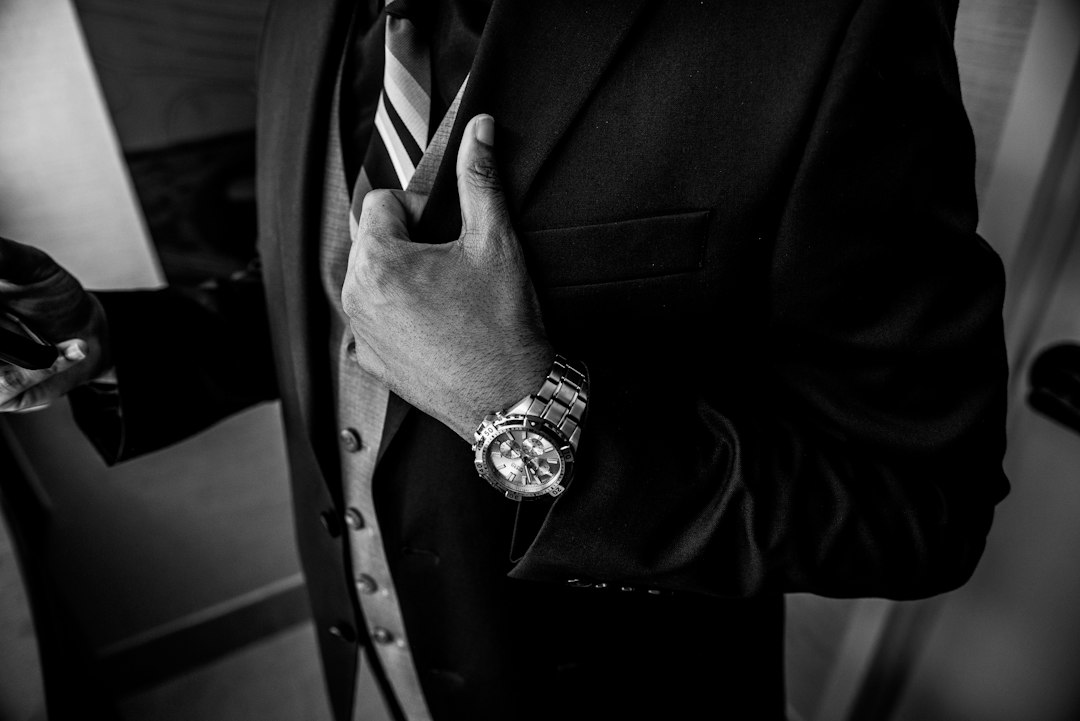
Styled AI portraits aren’t new, but the mafioso aesthetic specifically hits a nostalgic nerve. Films like The Godfather and Goodfellas shaped a visual language — tailored suits, cigars, dim lighting, black-and-white tones — that people instantly recognize.
AI tools make recreating that cinematic look accessible to anyone with a smartphone. No photographer, no studio lighting, no costume rental. Just a photo and a prompt.
- 📸 Instant transformation: results appear in under a minute on most apps.
- 🎬 Cinematic quality: many generators mimic film grain, sepia tones, and dramatic shadows.
- 🧥 Costume-free cosplay: no need to buy or rent actual vintage clothing.
- 🔄 Endless variations: generate dozens of versions until one feels “right.”
It also taps into a broader cultural moment where AI-generated portraits — superhero versions, anime versions, Renaissance paintings — have become a form of digital self-expression.


How to Create Your Own Mafioso-Style AI Portrait#
Getting a convincing result isn’t just about uploading a selfie and hoping for the best. The quality of your prompt and reference photo matters a lot.
Step 1: Choose a Clear, Well-Lit Photo#
Front-facing photos with neutral expressions and good lighting produce the most accurate transformations. Avoid sunglasses, heavy filters, or group photos — the AI needs a clean read of your facial structure.
Step 2: Write a Specific Prompt#
Vague prompts like “make me a mobster” often produce generic results. Specificity gives the model more to work with. Try combining:
- Era details: “1940s Chicago,” “1930s New York speakeasy era”
- Wardrobe cues: “pinstripe three-piece suit, fedora, pocket watch”
- Mood and lighting: “moody film noir lighting, black and white, cigar smoke in the air”
- Camera style: “shot on vintage film camera, grainy texture, shallow depth of field”
A prompt like “Portrait of a confident man in a 1940s pinstripe suit and fedora, film noir lighting, black and white, standing in a dimly lit room with cigar smoke, cinematic style” tends to generate far more convincing results than a one-line request.
Step 3: Generate Multiple Versions#
Most tools let you regenerate the same prompt several times. Rarely is the first result the best one. Generating 4–6 variations and picking the strongest usually produces noticeably better output.
Best Tools for Generating Mafioso-Style AI Images#
Several apps and platforms now specialize in stylized AI portraits. Each has strengths depending on what you’re looking for — speed, realism, or creative control.
| Tool | Best For | Notes |
|---|---|---|
| ChatGPT (with image generation) | Detailed prompt control | Great for fine-tuning wardrobe, lighting, and mood through conversation |
| Midjourney | Cinematic, painterly realism | Strong at film noir textures and dramatic shadows |
| Lensa-style apps | Quick selfie transformations | Pre-built “vintage gangster” style packs available |
| Stable Diffusion (custom models) | Advanced users | Allows fine control via custom checkpoints and LoRA styles |
ChatGPT’s image generation feature has become a popular starting point because it combines natural language prompting with iterative refinement — you can literally describe adjustments (“make the suit darker,” “add a fedora shadow over the eyes”) and get an updated version instantly.

ChatGPT
Installs1B+
Size285.7MB
PlatformAndroid/iOS
PriceFree
Information about size, installs, and rating may change as the app is updated in the official stores.
Prompt Examples That Actually Work#
Not all prompts are created equal. Below are tested structures that consistently produce sharper, more stylistically accurate mobster portraits.
- Classic Don style: “Portrait of a distinguished man in his 50s, dark three-piece suit, slicked-back hair, sitting in a leather armchair, dim warm lighting, 1970s cinematic color grading”
- Street-level enforcer style: “Man in a wool overcoat and flat cap, standing on a rainy city street at night, black and white, dramatic rim lighting, 1930s urban setting”
- Casino boss style: “Man in a tailored tuxedo holding a cigar, standing in a smoky casino lounge, neon reflections, 1960s Las Vegas aesthetic”
Adding camera and lens references — “shot with 50mm lens, shallow depth of field” — also pushes many models toward more photorealistic output rather than illustrated or cartoonish results.
Common Mistakes That Ruin the Final Image#
Even with good tools, certain habits consistently produce weaker results. Knowing these in advance saves a lot of regenerations.
Overloading the Prompt#
Cramming ten different style references into one sentence confuses the model. It’s better to pick one clear era, one lighting style, and one wardrobe direction, then adjust gradually.
Using Low-Quality Reference Photos#
Blurry, poorly lit, or heavily angled selfies translate into distorted facial features in the final render. A simple, front-facing photo in natural light works best.
Ignoring Aspect Ratio and Resolution Settings#
Many apps default to square or low-resolution outputs. For anything you plan to print or use as a profile photo, checking the resolution settings beforehand avoids a pixelated result later.
Is This Trend Just for Fun, or Does It Have Real Uses?#
Beyond entertainment, stylized AI portraits have found genuine practical applications:
- 🎭 Themed party invitations: turning guest photos into a cohesive visual style for a 1940s-themed event.
- 🎁 Creative gifts: printed portraits as novelty presents for birthdays or anniversaries.
- 📱 Social media content: profile pictures and story posts that stand out from standard selfies.
- 🎨 Creative writing inspiration: authors and game designers using AI portraits to visualize characters.
Game masters running tabletop RPGs with 1920s or prohibition-era settings have also started using this technique to generate quick character portraits for their players, saving hours compared to commissioning custom art.
Keeping the Experience Safe and Respectful#
Since this trend plays with a sensitive theme — organized crime — it’s worth approaching it the same way people approach costume parties: as fiction, not glorification.
Most mainstream AI tools already include safeguards against generating anything that depicts real violence, weapons in threatening contexts, or content tied to actual criminal organizations. The results tend to stay firmly in “movie poster” territory — stylish, theatrical, and clearly fictional.
A few good practices worth following:
- Keep prompts focused on style and aesthetics (suits, lighting, era) rather than violent scenarios.
- Avoid uploading photos of other people without their consent.
- Remember these are stylized fantasy images, not accurate historical or cultural representations.
What’s Next for AI-Generated Character Portraits#
The mafioso portrait trend is really just one branch of a much bigger shift: AI tools are turning personal photos into a flexible creative canvas. Superhero versions, fantasy warrior versions, anime versions — all follow the same basic workflow of photo plus prompt plus iteration.
As models improve, expect faster generation times, better facial consistency across multiple images, and more nuanced control over lighting and texture. Some platforms are already testing video generation from a single photo, which could bring this same gangster-movie aesthetic to short animated clips rather than static portraits.
For now, though, the appeal is simple. It takes thirty seconds, costs nothing on most free-tier apps, and turns an ordinary selfie into something that looks like a still from a classic crime film. Whether it ends up as a profile picture, a party invite, or just a laugh shared in a group chat, it’s a small, low-stakes way to see a completely different version of yourself — fedora included.

Keep reading
You might also like
X-Ray Scanner App for Mobile Phones: Features and Review
Ever wondered what your phone looks like inside without opening it up? An X-ray app lets you simulate that scan right from…

Metal Detector App: Features, Accuracy, and How It Works
Turning your smartphone into a metal detector sounds like science fiction, but it's a real feature millions of people use daily for…