
Anúncios
Turning a smartphone into a working metal detector sounds like science fiction, but it’s real technology thousands of people already use daily. 🔍
A metal detector app uses the magnetometer sensor already built into your phone to pick up changes in magnetic fields. No extra hardware required, no bulky coils — just your pocket device and a free download.
These tools won’t replace a professional treasure-hunting rig buried in a field, but for everyday situations like finding a dropped ring, locating a lost key, or checking a wall for pipes and nails, they get surprisingly close.
How a Metal Detector App Actually Works#
Every modern smartphone contains a tiny magnetometer, originally designed for compass and navigation features. This sensor measures the strength and direction of magnetic fields around the device.
When a piece of metal — especially ferrous metal like iron or steel — gets close to the phone, it distorts the ambient magnetic field. The app reads that distortion and translates it into a signal: a number on screen, a vibration, or a sound that intensifies as you get closer.
This is fundamentally different from industrial detectors, which generate their own electromagnetic field using coils and then measure the eddy currents induced in metal objects. Phone-based apps are passive sensors reading existing field disturbances, which explains both their convenience and their limitations.


Sensitivity Differences Across Devices#
Not every phone performs the same way. Magnetometer quality varies by manufacturer and model, which means detection range can shift from a few centimeters to nearly 15-20 cm depending on the hardware.
- Flagship phones (Samsung Galaxy S series, iPhone Pro models) tend to have more precise magnetometers
- Mid-range Android devices often deliver solid, reliable readings for everyday use
- Budget phones may show more fluctuation and require closer proximity to detect small objects
Calibration also matters enormously. Most apps prompt a figure-eight motion before scanning starts — this resets the sensor baseline and removes residual magnetic noise from speakers, cases, or nearby electronics.
Real-World Uses That Go Beyond Treasure Hunting#
People assume these apps exist purely for beach outings or backyard digs. In practice, the use cases are far more practical and frequent.
Finding Lost Items Indoors#
Dropped earrings in carpet, a screw that rolled under furniture, coins that slipped between couch cushions — these are the scenarios where a detector app earns its spot on your home screen. Scanning takes seconds and avoids the frustration of blind searching.
Home Improvement and Safety Checks#
Before drilling into a wall, many users run a quick scan to check for hidden nails, screws, or metal conduit. While it won’t replace a dedicated stud finder for wood framing, it can flag obvious ferrous hazards that would otherwise damage a drill bit or worse.
Checking Food and Products for Contamination#
Some parents use these apps informally to scan baby food jars or packaged goods for stray metal fragments before serving. It’s not a certified safety tool, but it adds a layer of quick reassurance.
| Use Case | Typical Detection Range | Reliability Level |
|---|---|---|
| Finding keys/coins on carpet | 5-10 cm | High |
| Wall nail/screw detection | 2-5 cm | Moderate |
| Outdoor soil scanning | 3-8 cm | Low to Moderate |
| Jewelry on sand/grass | 5-12 cm | Moderate to High |
Getting the Most Accurate Readings Possible#
App performance isn’t fixed — a few habits make a measurable difference in accuracy and consistency.
Remove Interference Sources First#
Phone cases with magnetic clasps, nearby speakers, metal watches, and even certain car mounts can throw off readings before you even start scanning. Taking the phone out of its case for a few minutes of serious searching often improves results noticeably.
Recalibrate Frequently#
Magnetometers drift over time, especially after the phone has been near other magnetic sources. Running the calibration routine every few minutes during an extended search session keeps the baseline accurate.
Move Slowly and Steadily#
Fast sweeping motions create false spikes and inconsistent readings. A slow, deliberate pass — similar to how someone would use a handheld wand detector at airport security — produces far more reliable results.
- Hold the phone flat and parallel to the surface being scanned
- Keep a consistent distance of 1-3 cm from the ground or wall
- Scan in overlapping passes rather than single straight lines
- Pay attention to both visual and audio cues simultaneously
What These Apps Can’t Do#
Being upfront about limitations builds trust, and honestly, understanding them helps set realistic expectations.
Non-ferrous metals like gold, pure aluminum, and copper produce weak or no magnetic distortion, meaning phone-based detectors struggle significantly with these materials compared to dedicated coil-based detectors designed specifically for treasure hunting.
Depth penetration is also limited. Professional ground-penetrating detectors can reach 30+ cm into soil; a phone app rarely exceeds 10 cm in ideal conditions, and often much less in cluttered environments with multiple interference sources.
Temperature and battery level can subtly affect magnetometer performance too — something most users never consider but that specialists have documented in sensor calibration studies.

Metal Detector
Installs10M+
Size11.8MB
PlatformAndroid/iOS
PriceFree
Information about size, installs, and rating may change as the app is updated in the official stores.
Choosing the Right App for Your Needs#
Not all metal detector apps are built equally. Some focus on simplicity, others pile on features like adjustable sensitivity, audio frequency customization, and detection logs.
Features Worth Prioritizing#
- Adjustable sensitivity settings — lets you fine-tune for different environments
- Visual and audio feedback combined — easier to interpret signal strength
- Calibration reminders — keeps readings accurate over longer sessions
- Offline functionality — no need for a data connection during searches
- Low battery drain — magnetometer scanning shouldn’t kill your phone in 20 minutes
Reading recent user reviews helps too, since sensor behavior can vary after operating system updates. An app that worked flawlessly on an older Android version might need an update to stay compatible with newer hardware.
A Quick Comparison With Traditional Detectors#
It helps to frame expectations by comparing phone apps directly against dedicated detecting equipment.
| Feature | Metal Detector App | Traditional Detector |
|---|---|---|
| Cost | Free or under $5 | $100-$500+ |
| Portability | Fits in a pocket | Bulky, requires carrying |
| Non-ferrous detection | Weak | Strong |
| Depth range | Up to 10 cm | 20-40+ cm |
| Learning curve | Minutes | Hours to days |
For casual, occasional use — checking a backyard, scanning a room, or settling curiosity about a buried pipe — the app wins on convenience every time. For serious hobbyists hunting coins or relics in open fields, a dedicated unit remains the better investment.
Everyday Habits That Make the App More Useful#
Beyond emergencies like lost jewelry, some people build small routines around their detector app. Scanning a car seat after a road trip with kids, checking a hotel room before leaving, or sweeping a garage floor after a dropped box of hardware — these small, repeated uses add up over time.
Parents of young children find particular value here, since toddlers have a talent for scattering tiny metal objects — paperclips, screws, battery contacts — in places that are hard to search visually.
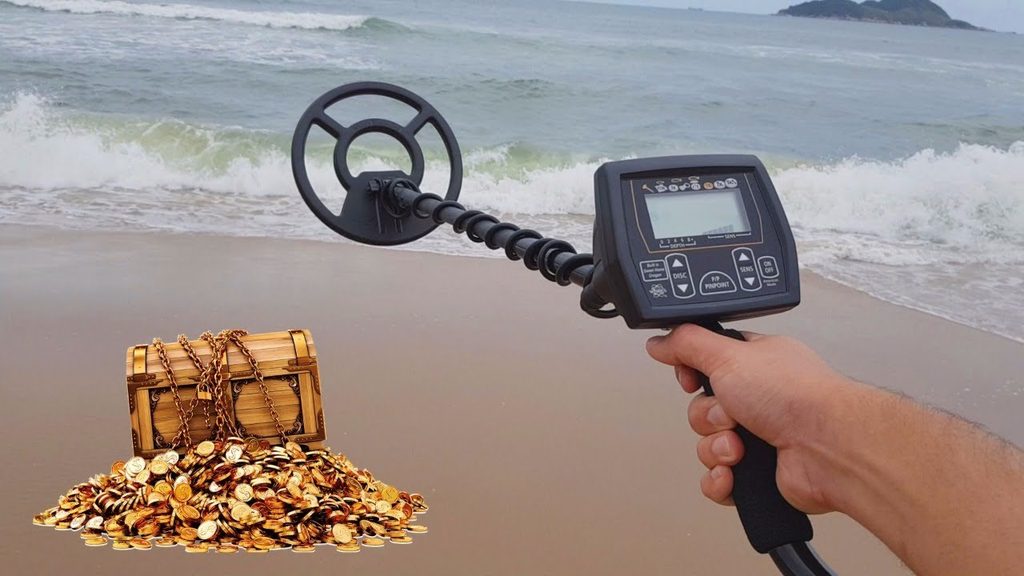
Outdoor enthusiasts also use these apps as a backup tool. Even seasoned detectorists keep one installed for quick checks when their main equipment isn’t handy, like during a casual walk on a beach without the full gear.
The technology keeps improving too. As smartphone sensors get more refined with each generation, the gap between casual apps and entry-level dedicated detectors continues narrowing, making this a tool worth keeping installed rather than downloading once and forgetting.

Keep reading
You might also like

Best Apps to Check Your Joint Problems and Pain
Joint pain can be confusing to track day after day, but a dedicated **joint tracker app** turns scattered symptoms into clear patterns…

Best Apps to Watch Asian Movies and Dramas Online
Asian cinema has exploded in global popularity, and finding the right app to stream Korean dramas, Japanese anime, and Chinese blockbusters makes…