
Anúncios
Losing track of a loved one’s whereabouts creates real anxiety — whether it’s a teenager coming home late or an elderly parent driving alone. 📍
A phone locator app changes that uncertainty into instant clarity. With a few taps, you can see where your family members are on a live map, without calling or texting repeatedly.
These tools rely on GPS, Wi-Fi, and cellular data to pinpoint a device’s position within meters. The result is a practical safety net for everyday family logistics.
How GPS Phone Tracking Actually Works#
Every smartphone contains a GPS chip that communicates with satellites orbiting Earth. This chip calculates position by measuring signal delay from at least four satellites simultaneously. 📱
When GPS signal is weak — inside buildings, for example — the app switches to Wi-Fi triangulation or cell tower data. This hybrid approach keeps location accuracy reasonably consistent even in dense urban areas.
Most family locator apps update positions every few minutes rather than continuously, which preserves battery life. Some premium tiers offer near real-time tracking with higher refresh rates.
Accuracy Levels You Can Expect#
- Outdoors with clear sky view: 3 to 8 meters accuracy
- Urban areas with tall buildings: 10 to 20 meters accuracy
- Indoors: 20 to 50 meters, relying on Wi-Fi networks
- Underground or dead zones: last known location displayed with timestamp


Core Features Families Actually Use#
Beyond the basic map view, modern location-sharing apps pack features that go well beyond “find my phone” functionality.
Real-Time Location Sharing#
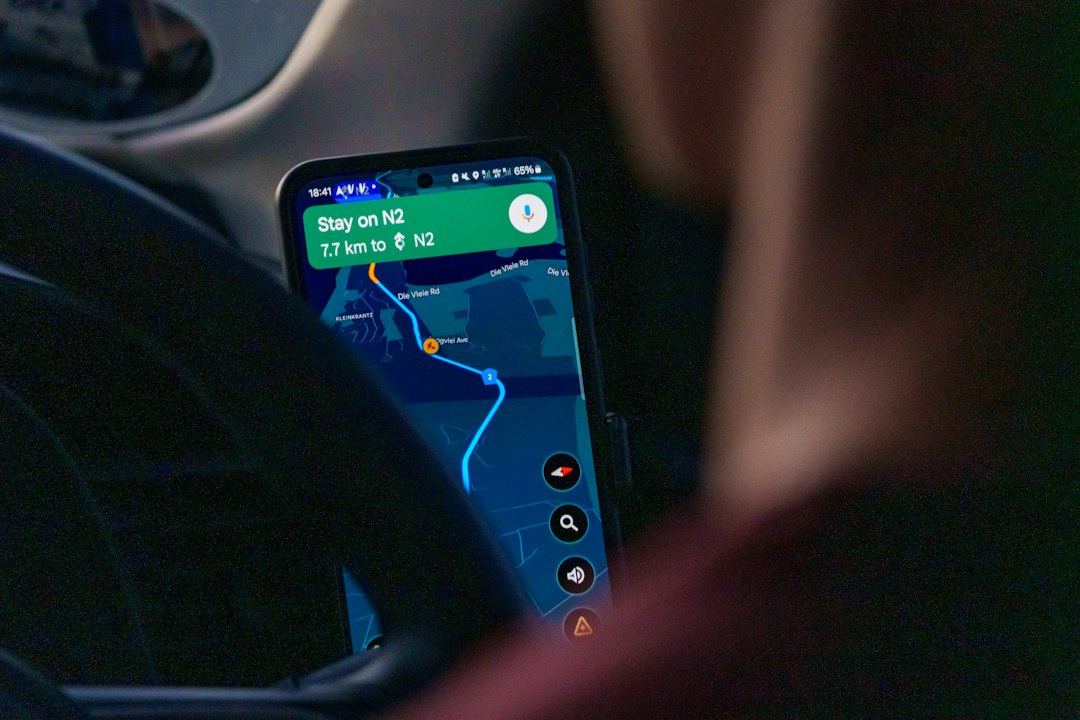
Family members appear as moving icons on a shared map, similar to ride-share apps. You can see speed, direction, and estimated arrival time when someone is driving home.
Geofencing and Place Alerts#
You set up virtual boundaries — school, home, grandma’s house — and receive a notification the moment someone arrives or leaves. This feature proves especially useful for parents tracking kids’ school routines without constant check-in calls.
Driving Reports and Crash Detection#
Several apps, including Life360, analyze driving behavior: hard braking, rapid acceleration, phone usage while driving, and speeding. Some versions even detect potential car crashes and can trigger emergency assistance automatically.
Location History#
Instead of only showing the present moment, many apps store 24 to 30 days of location history. This helps answer questions like “where did you stop after school yesterday?” without confrontation.
Comparing Popular Family Locator Apps#
Not every app serves the same purpose. Here’s a practical breakdown of what separates the major players in 2024. 🗺️
| App | Best For | Free Tier Limits | Driving Safety Features |
|---|---|---|---|
| Life360 | Whole-family circles | Basic location + 1 driver report monthly | Crash detection, speed alerts |
| Find My (Apple) | Apple-only households | Unlimited, fully free | None |
| Google Family Link | Parental controls for kids | Free, includes screen time limits | None |
| GeoZilla | Simple geofence alerts | Limited history, ads | Basic speed alerts |
For mixed Android and iOS households, cross-platform options like Life360 tend to work more reliably than platform-locked solutions.

Life360: Family Safety & GPS
Installs100M+
Size612.7MB
PlatformAndroid/iOS
PriceFree
Information about size, installs, and rating may change as the app is updated in the official stores.
Setting Up Location Sharing in Under 10 Minutes#
Configuration is simpler than most people expect. Here’s the general process across most family locator apps.
- Download the app on every family member’s phone from the official store
- Create a shared circle, group, or family network with a unique invite code
- Grant location permissions — choose “Always Allow” rather than “While Using” for continuous tracking
- Set up geofenced places: home, school, work
- Customize notification preferences to avoid alert fatigue
One common mistake: choosing “While Using App” permission on iOS. This setting pauses location updates once the app closes in background, causing gaps in the map that look like the person went offline.
Battery Consumption Concerns#
Continuous GPS tracking does drain battery faster — typically an extra 5% to 10% per day compared to no tracking apps running. Most apps now use adaptive algorithms that reduce GPS polling frequency when a phone is stationary, which helps minimize impact.
Enabling “battery saver” mode within the locator app itself usually extends battery life by checking location every 15-20 minutes instead of every few minutes.
Privacy and Consent Matter More Than You Think#
Tracking someone’s phone without their knowledge raises both ethical and, in many places, legal issues. Family locator apps are designed around mutual consent — everyone in the circle sees who else is tracking them.
- Always inform family members before adding them to a tracking circle
- Review permissions periodically, especially as kids grow into teenagers who may want more independence
- Avoid using location data as a tool for constant surveillance or conflict
- Check local laws regarding tracking spouses or adult family members without explicit agreement
Teenagers often push back against being tracked. Framing the app as a mutual safety tool — where parents share their location too — tends to reduce resistance compared to one-sided monitoring.
Data Security Considerations#
Location data is sensitive information. Before choosing an app, check whether it encrypts data in transit, how long location history is stored, and whether data gets shared with third-party advertisers. Reputable apps publish clear privacy policies addressing these points.
Real-World Scenarios Where These Apps Prove Their Worth#
Beyond theoretical safety benefits, families report concrete situations where GPS tracking made a measurable difference.
- Elderly parent with early dementia wandering away from home — geofence alerts notified the family within minutes
- Teen driver involved in a minor accident — crash detection triggered an automatic check-in notification
- Coordinating pickup logistics for multiple kids at different activities without constant phone calls
- Confirming safe arrival during solo travel or late-night commutes
These aren’t hypothetical marketing scenarios — they reflect the most common reasons families adopt location sharing in the first place.
Choosing the Right Plan for Your Household#
Free tiers cover basic needs: location sharing and simple geofencing. Paid subscriptions, usually ranging from $8 to $25 monthly depending on the provider, unlock crash detection, unlimited driving reports, identity theft protection, and roadside assistance bundles.
For families with teen drivers, the paid tier often pays for itself through better insurance negotiation leverage, since some insurers offer discounts for documented safe-driving habits tracked through these apps.
Testing the free version for two to three weeks before upgrading gives a realistic sense of whether the premium driving-safety features justify the monthly cost for your specific situation.

Keep reading
You might also like

Best Dating App for Single Women to Meet Men Safely
Meeting new people as a single woman today means balancing curiosity with caution, especially when it comes to online dating and first…

Bumble For Friends: Easy Women’s Friendship App Without Complicated Registration
Meeting new friends as an adult feels harder than it should — especially for women seeking genuine connections without the pressure of…