
Anúncios
Secret voice messages are changing how people share private thoughts, confessions, and sensitive updates without typing a single word.
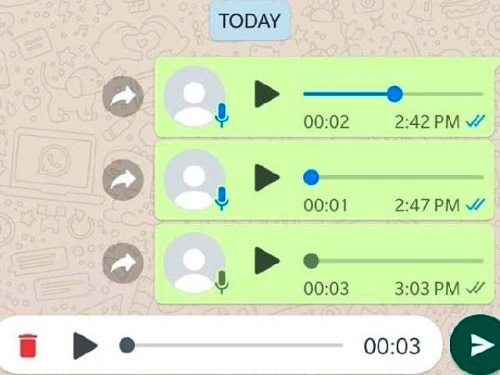
Audio has become the preferred format for conversations people want to keep away from prying eyes. A whispered voice note feels more personal than a text, and it disappears faster too. 🎧
But receiving secret audios isn’t just about pressing play. It involves understanding permissions, storage behavior, encryption, and the small details that determine whether your message stays truly private or ends up somewhere you never intended.
Why Voice Messages Became the New Language of Privacy#
Text can be screenshotted instantly. Audio requires more effort to capture, edit, or forward without detection. That friction alone makes voice notes feel safer for sensitive topics.
There’s also an emotional layer. Tone, pauses, and breathing carry meaning that words on a screen can’t replicate. People sharing a secret often want the listener to feel the weight of what’s being said, not just read it.
- Voice messages are harder to forward silently compared to copy-pasted text.
- They create a sense of intimacy, almost like a phone call without the pressure of live conversation.
- Many apps now auto-delete audio after playback, reinforcing the “secret” feel.


The Psychology Behind Choosing Audio Over Text#
Researchers studying digital communication have noted that voice notes reduce the “cold” feeling of typed messages. A 2022 study on messaging behavior found that users rated voice messages as 34% more trustworthy than text when discussing emotional topics.
That trust factor explains why confessions, apologies, and secrets increasingly travel through audio rather than chat bubbles.
How Secret Audio Messages Actually Work on Popular Apps#
Not every app treats “secret” audio the same way. Some simply hide the message behind a tap-to-reveal screen. Others encrypt the file end-to-end and delete it from servers once delivered.
Here’s a quick comparison of how three major platforms handle private voice notes:
| App | Encryption Type | Auto-Delete Option | Screenshot Alert |
|---|---|---|---|
| Signal | End-to-end (default) | Yes, customizable timer | No (by design, trust-based) |
| Telegram | Optional (Secret Chats only) | Yes, in Secret Chats | Yes, in Secret Chats |
| End-to-end (default) | Yes, “View Once” audio | No |
Signal stands out because encryption is active by default, not an opt-in feature buried in settings. That’s a meaningful difference if privacy is your main concern.
What Happens to the File After You Listen#
When an app labels a message as “secret” or “view once,” the audio typically gets decrypted locally, played, then deleted from both the device cache and the sender’s server copy. This process usually takes less than two seconds after playback ends.
However, some devices still save a temporary buffer file. If your phone crashes mid-playback, that buffer can occasionally remain in storage longer than intended, which is why clearing app cache periodically matters.
Step-by-Step: Receiving a Secret Audio Safely#
Here’s a practical sequence most privacy-focused apps follow, using Signal as the reference point:
- Step 1: The sender records audio and selects a disappearing timer (ranging from 5 seconds to 4 weeks).
- Step 2: The file is encrypted on the sender’s device before it ever touches a server.
- Step 3: You receive a notification without a preview of the content.
- Step 4: Tapping to play decrypts the file locally, in real time.
- Step 5: Once the timer expires, the message and its metadata are wiped from both devices.
This chain matters because weak links — like unencrypted backups — can undo all the privacy benefits of the app itself.
Common Mistakes That Break Audio Privacy#
Even with the right app, people often leak their own secrets through simple oversights:
- Backing up chats to cloud storage that isn’t encrypted the same way as the app.
- Playing audio through a Bluetooth speaker in a shared space.
- Leaving notification previews enabled, which can show snippets on the lock screen.
- Using a messaging app’s desktop version without realizing it syncs disappearing messages too.
Fixing these habits takes minutes and dramatically reduces the risk of an accidental leak. 🔒

Signal Private Messenger
Installs100M+
Size224.1MB
PlatformAndroid/iOS
PriceFree
Information about size, installs, and rating may change as the app is updated in the official stores.
Choosing the Right App for Sensitive Voice Communication#
Not every messaging app is built with the same priorities. Some focus on speed and convenience, others on airtight privacy. Knowing the difference helps you pick the right tool for secret audio exchanges.
Signal, for instance, is open-source, meaning its code is publicly auditable. That transparency is rare among messaging apps and gives security researchers the ability to verify that encryption claims are real, not marketing language.
Features Worth Checking Before You Trust an App#
Before sending or receiving anything sensitive, look for these specific capabilities:
- End-to-end encryption by default, not hidden in a secondary mode.
- Disappearing message timers with granular control (seconds, not just days).
- No metadata retention — meaning the app doesn’t log who talked to whom and when.
- Local-only notifications that don’t reveal content previews.
Apps lacking even one of these often create a false sense of security, which is arguably worse than knowing a platform isn’t private at all.
What Secret Audios Reveal About Modern Digital Trust#
The rise of private voice notes says something bigger about how people communicate now. Trust isn’t assumed anymore — it’s built through tools, settings, and deliberate choices about what disappears and what stays.
Couples use timed audio to share things they’re not ready to put in writing. Coworkers send quick confidential updates without leaving a permanent paper trail. Even families use disappearing voice notes to discuss sensitive health or financial matters.
A Quick Reality Check on “Complete” Privacy#
No app guarantees absolute secrecy. Screen recording software, a second device filming the screen, or a compromised phone can still expose content. Encryption protects the data in transit and storage — it can’t control what happens after the recipient legitimately plays the file.
That’s why context and trust in the person you’re sending audio to still matter more than any app setting. Technology closes most gaps, but not all of them.
Practical Tips for Everyday Secret Audio Use#
A few small habits make a real difference in day-to-day privacy:
- Set disappearing timers to the shortest practical length for sensitive topics.
- Disable chat backups to unencrypted cloud services for apps carrying private audio.
- Use headphones instead of speakers when listening in shared spaces.
- Regularly check app permissions — microphone access shouldn’t extend to background recording.
These steps take under ten minutes total to set up, yet they close most of the common privacy gaps people overlook. 🎙️
Secret audio messages aren’t a passing trend — they reflect a shift toward communication that respects emotional nuance and personal boundaries. Picking the right app, understanding how encryption actually works, and building a few simple habits turns a simple voice note into a genuinely private exchange.

Keep reading
You might also like

Best Apps to Check Your Joint Problems and Pain
Joint pain can be confusing to track day after day, but a dedicated **joint tracker app** turns scattered symptoms into clear patterns…

Metal Detector App: How to Find Hidden Metals Using Your Smartphone
Turning a smartphone into a working metal detector sounds like science fiction, but it's real technology thousands of people already use daily.…